
Best AI Image Generator
A practical guide to choosing the best AI image generator, with a close look at GPT Image 2 for realistic images, readable text, and fast creative work.
If you are looking for the best AI image generator, the short answer is this: choose the one that turns a plain idea into a usable image with the least cleanup.
That sounds simple, but it is the part that separates a fun toy from a real creative tool. A good image model should understand the scene, respect the details you asked for, keep faces and objects coherent, and handle text without turning letters into decoration. GPT Image 2 is built for that kind of work. It is especially strong when you need polished images from normal language, not from prompt engineering rituals.
What makes an AI image generator the best?
The best AI image generator is not always the model with the loudest demo. For everyday use, these are the things that matter:
- Prompt accuracy: does the image follow what you actually wrote?
- Realism: do people, products, lighting, and materials feel believable?
- Text rendering: can the model place readable words inside the image?
- Composition: does the result look designed rather than randomly assembled?
- Speed: can you iterate without losing your train of thought?
- Control: can you set size, quality, style, and direction without wrestling the tool?
GPT Image 2 scores well because it treats the prompt like instructions, not just inspiration. If you ask for a product photo on a clean desk, a square social ad with a short headline, or a cinematic portrait with specific lighting, the model tends to keep the important parts in frame.
What GPT Image 2 can create
If you want a quick feel for range, browse the GPT Image 2 prompt gallery for real examples with images and reusable prompt text. A few styles make the point better than a feature list can.
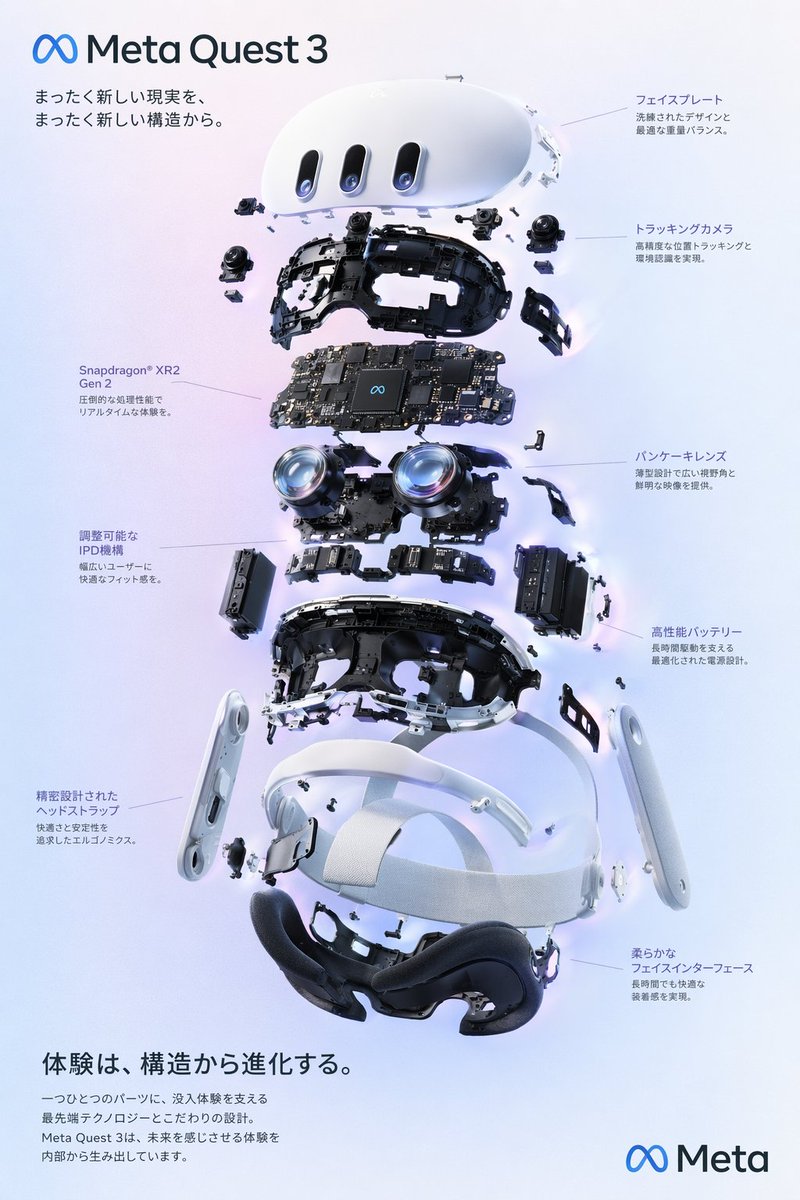
This kind of product diagram is a good test for layout, labels, object structure, and visual hierarchy.
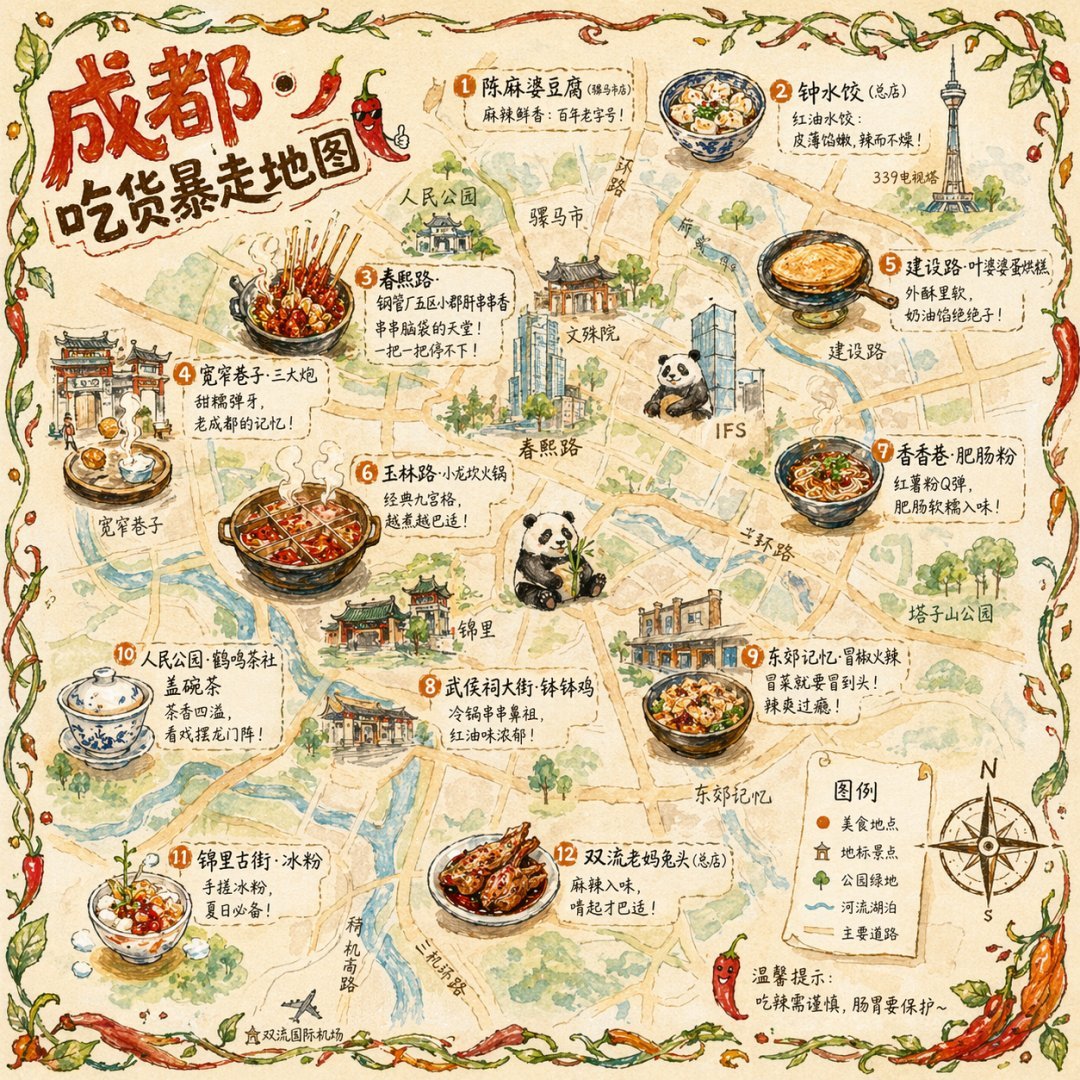
Illustrated maps test whether a model can keep many small elements organized without losing the overall style.
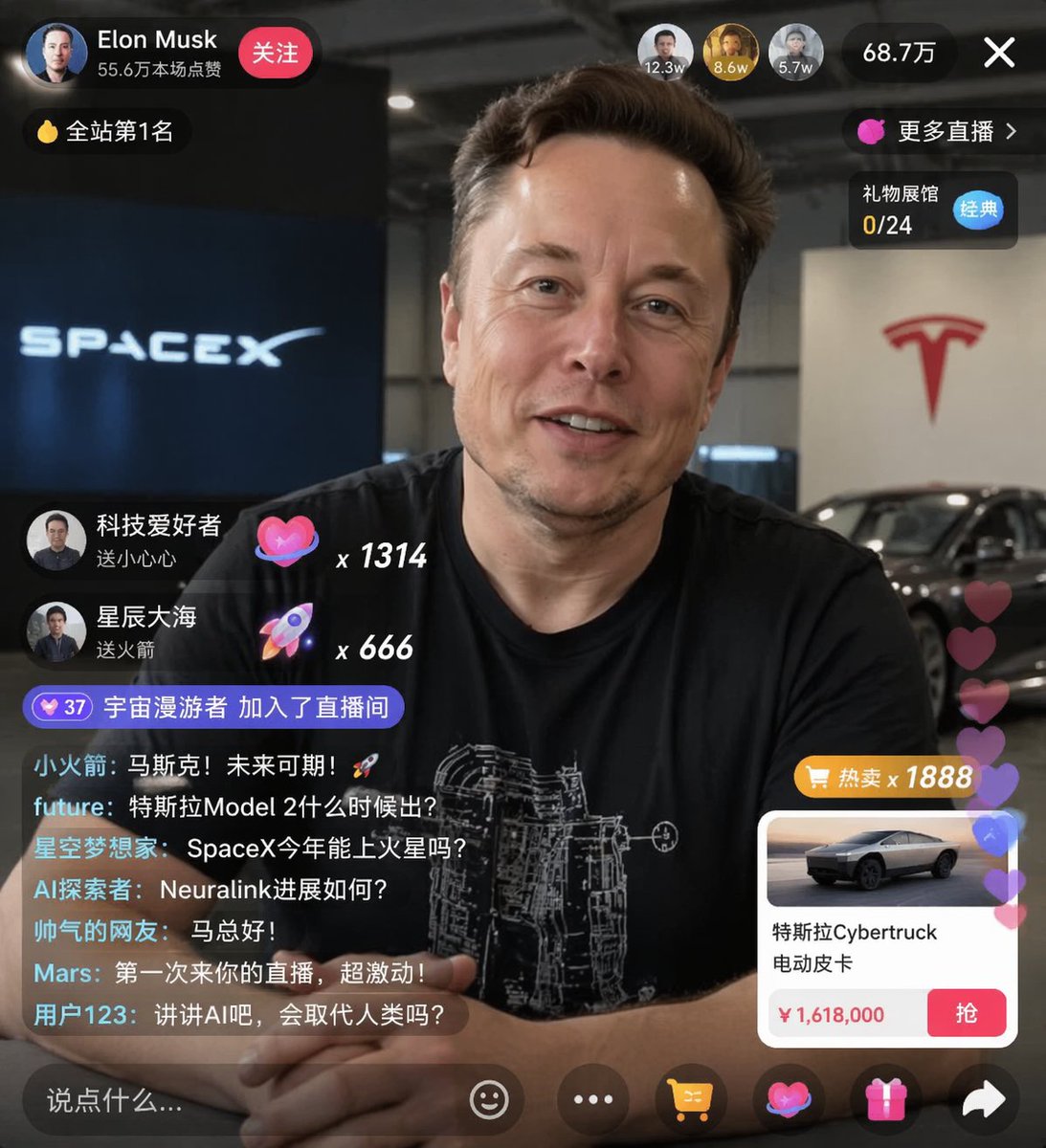
UI-style images are useful for checking readable interface text, spacing, and realistic composition.
Why GPT Image 2 stands out
GPT Image 2 feels different because it is useful in the middle of a workflow. You can start with a rough sentence, generate a draft, then refine the details in natural language.
For marketers, that means faster campaign concepts. For founders, it means landing page visuals without waiting for a full design pass. For creators, it means thumbnails, posters, moodboards, and reference images that are close enough to use or build on.
The big advantage is reliability. Many image generators can make one beautiful picture. GPT Image 2 is better when you need the image to match a brief.
Best uses for GPT Image 2
GPT Image 2 is a strong fit for:
- Social media graphics with clean visual hierarchy
- Product mockups and lifestyle scenes
- Blog covers, newsletter headers, and article art
- YouTube thumbnails and ad concepts
- Character references and concept art
- Realistic photos for brand experiments
- Images that include short, readable text
It is also forgiving. You do not need to start with a perfect prompt. A good first version can be as simple as: "Create a realistic product photo of a matte black water bottle on a bright kitchen counter, morning light, minimal background, square format."
Where it beats older image generators
Older AI image tools often break down when the prompt includes several constraints. They may ignore the camera angle, invent extra objects, or make text unreadable.
GPT Image 2 is more useful for detailed requests because it handles relationships better: what is in the foreground, what should be on the label, how the subject should be lit, and what mood the image should carry. That matters when the final image needs to support a real use case, not just look impressive for a second.
A practical way to try it
The easiest way to test GPT Image 2 is to try GPTImg-2 with one specific image brief. Keep it grounded:
- Name the subject.
- Describe the setting.
- Add the style or camera direction.
- Choose the aspect ratio you need.
- Mention any text that must appear in the image.
For example:
Create a clean 16:9 blog cover for an article about AI image tools. Show a designer's desk with a laptop, color swatches, and several printed AI-generated concepts. Use soft daylight, realistic photography, modern workspace, no clutter. Add the title "Best AI Image Generator" in crisp readable text.
After the first result, adjust one thing at a time. Change the lighting, simplify the background, make the text bigger, or switch from photorealistic to editorial illustration. Small edits usually teach you more than rewriting the whole prompt.
Is GPT Image 2 the best AI image generator for everyone?
For most people who want high-quality images quickly, GPT Image 2 is one of the best choices. It is strongest when you care about prompt following, realistic output, and practical assets for web, social, or product work.
There are still cases where another tool may be better. If you want a very specific niche art style, a heavily trained personal model, or deep image editing controls, you may want to compare specialist tools. But if your goal is to open a generator, describe what you need, and get a polished result fast, GPT Image 2 is hard to beat.
Quick checklist before you choose
Use this checklist when comparing AI image generators:
- Can it create the image you meant, not just a pretty variation?
- Can it keep text readable?
- Can it produce useful sizes for your channel?
- Can you iterate quickly?
- Does the interface make prompt, quality, and aspect ratio choices clear?
- Would you trust the result in a real campaign, blog post, or product mockup?
If the answer is yes, you have found a tool worth keeping in your workflow. With GPTImg-2, you can test those points immediately: write a prompt, choose the output settings, and generate a real image before overthinking the tool stack.
FAQ
What is the best AI image generator right now?
For general creative work, GPT Image 2 is a strong answer because it combines prompt accuracy, realistic output, readable text, and fast iteration. The best choice still depends on whether you need marketing images, product visuals, concept art, or experimental styles.
What is GPT Image 2 good at?
GPT Image 2 is good at turning natural language prompts into polished images. It is especially useful for realistic scenes, marketing visuals, social media graphics, product mockups, and images that need short text inside the design.
Do I need advanced prompts to use GPT Image 2?
No. Start with a clear description of the subject, setting, style, and size. Then refine the result with small changes. The model works well with normal language.
Can GPT Image 2 create images with text?
Yes. GPT Image 2 is designed to handle readable text better than many older image models. Short headlines, labels, signs, and poster text usually work best when you state the exact words in the prompt.
How should I test an AI image generator?
Use the same prompt across tools and judge the output by accuracy, realism, text quality, composition, and how much editing you need afterward. A generator is only great if it helps you finish the image, not just start it.
Author
